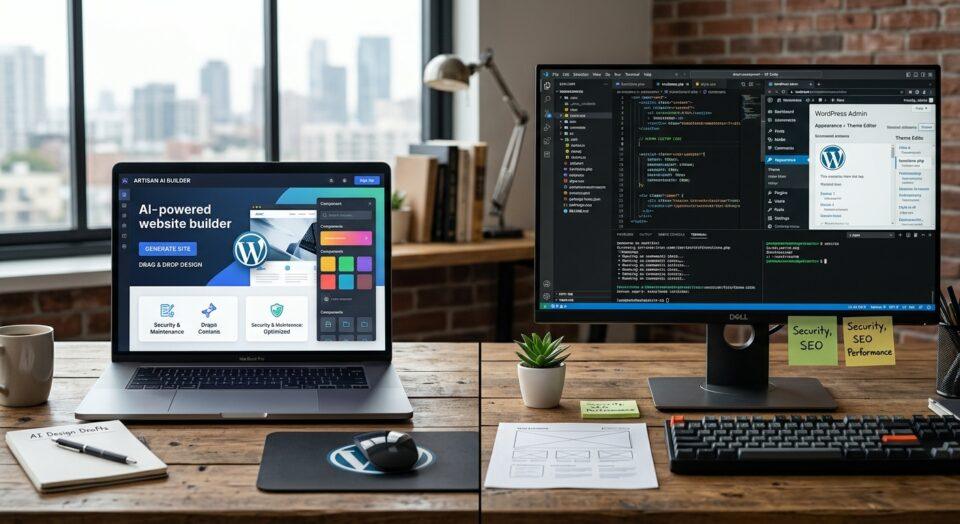

Every WordPress developer reaches a point where they stop reinventing the wheel. This post is for developers who know their way around a terminal, have opinions about build tools, and have rebuilt the same project scaffolding more times than they’d like to admit. For me, that turning point came after years of duplicating the same setup files, asset pipeline, and folder structure project after project. I eventually built my own starter theme. Then I found Barebones and switched to it instead. This post walks through how my workflow got here, and why the right boilerplate matters more than most developers give it credit for.
I’m Andrew — London Web Nerd, a freelance WordPress developer. I recently used Barebones to refresh my own site, and the experience reminded me how much a good foundation changes the shape of a project. This post is partly a technical retrospective and partly a shoutout to a tool that’s earned its place in my workflow.
How has the WordPress development workflow changed over the years?
WordPress development has moved a long way from dragging files onto a server with an FTP client. My own workflow has gone through at least three distinct phases, each one driven by the tools getting faster and the sites getting more complex.
From Koala to the command line
I started out compiling Sass with Koala, a lightweight GUI app that watched your files and spat out compiled CSS. It did one job, and it did it without fuss. Version control, in those early days, meant GitHub Desktop: a visual interface for commits and pushes that made Git approachable before I understood what was happening under the hood.
Both tools were genuinely useful for getting started. Koala removed the need to touch a terminal just to compile Sass. GitHub Desktop made version control visual and low-stakes. But as projects grew, I needed more control over the build process than a GUI could give me.
Why did I move to the VS Code integrated terminal?
The real shift happened when I moved into Visual Studio Code’s integrated terminal and started running everything through npm. Instead of clicking buttons in separate apps, I was running scripts directly: gulp.js for task automation, node-sass for compilation, and npm to manage the growing pile of dependencies underneath it all.
This wasn’t just a change of tools. It was a change of mindset. Once your build process lives in a terminal and a package.json file, it becomes portable. You can hand a project to another developer, or pick it up again in a year, and the setup instructions are just npm install No GUI, no guesswork.
How did Gutenberg change WordPress development workflows?
Gutenberg’s arrival changed the technical foundation of WordPress itself. The block editor is built on React, which meant the JavaScript skills WordPress developers needed shifted overnight from jQuery snippets to component-based thinking.
That shift pulled modern JavaScript tooling into standard WordPress development. ES6 syntax became the norm rather than the exception. Webpack replaced gulp.js for a lot of developers, because bundling React components efficiently needs a module bundler built for that job. node-sass eventually gave way to Dart Sass as the ecosystem moved on, but the underlying lesson stuck: the tools you use should match the architecture you’re building on top of, not the architecture you’re used to.
For custom block development specifically, this meant setting up build pipelines that could compile JSX, bundle dependencies, and handle Sass, all without creating a pile of custom configuration on every single project. That’s where boilerplates earn their keep.
Why do I use Barebones by Benchmark as my WordPress boilerplate?
I use Barebones, a lightweight WordPress starter theme built by the team at Benchmark, as the foundation for custom WordPress builds, including the recent refresh of my own site.
Barebones is deliberately small. It doesn’t try to be a page builder or a finished visual theme, and it doesn’t ship with a component library you’ll spend hours stripping out. What it gives you instead is a clean, sensible starting point: theme setup functions, asset loading, editor styles, menu management, Sass organisation, responsive utilities and custom block support, all ready to extend.
A few specifics that make it genuinely useful day to day:
- Vite asset compilation, including support for custom ACF blocks, so you’re not hand-rolling a build config for every new project.
- Useful Sass variables, mixins and base styles that keep code manageable without forcing a particular visual style on you.
- A fully responsive grid system with editable breakpoints, plus utilities to show or hide content across devices.
- Spacing and typography utilities that define consistent rules and make them available through the CMS, not just in code.
- ACF local JSON support, so your custom fields stay in your repository and sync properly across environments.
- Automatic custom ACF block registration, meaning new modules in the blocks directory just get picked up, no manual wiring required.
- Block-specific Sass and JavaScript compilation, which keeps code modular and sites fast.
None of this locks you into a design system. That’s the point. Barebones gives you the scaffolding, not the finished building. You still make every design and structural decision yourself, but you’re not wasting the first two days of a project rebuilding a file structure you’ve built a hundred times already.
Credit where it’s due: a big shout-out to the team at Benchmark Studios for building something that respects how custom WordPress development actually works, rather than trying to abstract it away. Barebones is thoughtful, well-maintained and genuinely useful — and that’s a rarer thing in the boilerplate space than it should be.
Does a boilerplate matter more for solo freelancers than agency teams?
Choose a strong boilerplate if consistency and speed matter more to you than full creative control over every file from scratch. That trade-off looks different depending on how you work.
In an agency, a shared boilerplate keeps multiple developers working to the same conventions. Onboarding a new team member to a project is faster because the file structure is already familiar. Code reviews are easier because everyone’s starting point is the same.
As a solo freelancer, the benefit is different but just as real. There’s no one else to hand a project to if I get hit by a bus (or trapped inside a lift on the underground… coff coff), but there’s also no one else to maintain consistency across projects except me. A boilerplate like Barebones does that job instead. Every project starts from the same clean baseline, which means less time spent re-learning my own past decisions and more time spent on the work that’s actually specific to each client.
It also means a client gets a properly structured, maintainable codebase without paying for the hours it’d take me to build that structure from nothing. That’s a direct cost saving that comes straight from using the right tool rather than reinventing it.
What’s next for WordPress development workflows?
Two things are shaping where WordPress development is heading in 2026: headless architecture and proper CI/CD. I’ll be honest, Headless WP is something I’m actively working to improve my own skills in, so consider this section part observation, part personal roadmap.
Headless WordPress: where WordPress serves purely as a content backend via its REST API or GraphQL while a separate frontend framework handles the actual rendering, is where a growing number of developers are pointing in 2026. It’s becoming a realistic option for projects that need more frontend flexibility than a traditional theme allows, and honestly, it’s an area I’m still building my own confidence in. It’s not right for every project. Choose headless if your frontend requirements are complex enough to justify the added infrastructure; stick with traditional theming if a well-built boilerplate already covers what you need.
Build on a proper foundation, not a pile of old habits
Workflows evolve because the tools around WordPress keep getting better, and ignoring that evolution means working harder than you need to. From Koala to the terminal, from gulp.js to webpack, from jQuery thinking to React-based blocks, every shift has been about removing friction between an idea and a working site.
A good boilerplate is part of that same story. Barebones gave me a clean, sensible foundation for my own site refresh, and it’s become a standard part of how I start new client projects. If you’re a WordPress developer still rebuilding the same setup files every time, it’s worth trying a boilerplate built by people who understand custom development, not just theme design.
Is Barebones free to use?
Yes. Barebones is a free, open starting point maintained by Benchmark. You can find it at barebones.dev.
How long does it take to set up a project with Barebones?
Because the setup functions, asset pipeline, and Sass structure are already in place, you can move from installing the theme to writing custom code in minutes rather than the hours it typically takes to build that scaffolding from scratch.
Is Barebones suitable for agencies as well as solo freelancers?
Yes, though the benefit shows up differently. Agencies get consistency across developers and projects. Solo freelancers get a reliable personal standard that speeds up every new build without sacrificing code quality.
What are the alternatives to using a boilerplate theme?
I used to start with Underscores (_s), which was the go-to starter theme for a long time — clean, minimal, and backed by Automattic. It was archived in September 2025 and is no longer actively developed, and it doesn’t support modern Gutenberg block-based development, so it’s not something I’d recommend starting a new project with today. Beyond that, your options are building entirely from scratch, using a fuller WordPress starter framework, or working with a page builder (I’m looking at you, Beaver Builder). Choose a from-scratch build if a project needs genuinely unusual architecture; choose a lightweight, actively maintained boilerplate like Barebones if you want structure without being boxed into someone else’s design system.