
Most small business owners don’t think about their website until something goes wrong. That’s understandable. You’ve got a business to run, and “WordPress maintenance” sounds like one more technical chore to add to the pile.
But WordPress isn’t a website you build once and leave alone. It’s made up of a core system, a theme, and a stack of plugins, all updated independently, all by different people, all at different times. Skip the maintenance, and those pieces slowly drift apart. The result isn’t usually a dramatic crash. It’s a slow decline: a form that quietly stops sending emails, a plugin conflict nobody notices for months, a backup that was never actually working.
This post walks through what proper WordPress maintenance includes, what happens when it’s ignored, and why staying on top of it costs far less than fixing the fallout.
What does WordPress maintenance actually include?
WordPress maintenance isn’t one task. It’s a set of ongoing checks that keep your website secure, fast, and working as expected. Properly done, it covers:
- Core, theme, and plugin updates — applied regularly and tested rather than installed blindly.
- Security monitoring — watching for vulnerabilities, suspicious logins, and malware.
- Backups — taken on a schedule, stored off-site, and actually tested so you know they work.
- Performance checks — making sure page speed hasn’t quietly degraded over time.
- Uptime monitoring — knowing immediately if your site goes down, rather than finding out from a customer.
- Small fixes — broken links, failed forms, outdated contact details, expired plugins.
None of this is glamorous. That’s exactly why it gets ignored — until the day it can’t be.
What happens when WordPress updates are left unattended?
WordPress releases updates for good reason. Core updates patch security holes. Plugin updates fix bugs and keep compatibility with the latest version of PHP, the programming language WordPress runs on. Theme updates do much the same.
Leave these unattended, and three things tend to happen:
- Plugins stop working together. One plugin updates, another doesn’t, and suddenly your booking form or payment gateway breaks. Nobody gets an alert. You just find out when a customer complains — or doesn’t bother complaining and goes elsewhere.
- PHP compatibility issues creep in. Hosting providers update PHP versions periodically for security and performance reasons. An outdated plugin or theme built for an older PHP version can break entirely, sometimes taking the whole site down with it.
- The update backlog grows. The longer updates are left, the bigger the jump between versions. Small, routine updates become large, risky ones. What should have been a five-minute job becomes a project.
None of this requires technical knowledge to understand. It just requires someone to be watching.
What are the security risks of neglected WordPress maintenance?
WordPress powers a large chunk of the web, which makes it a constant target. Outdated plugins and themes are the most common way websites get compromised — not through some sophisticated attack, but through a known vulnerability nobody patched.
A hacked website isn’t just a technical inconvenience. It can mean:
- Customer data exposed, with real legal and reputational consequences.
- Your site blacklisted by Google, cutting off search traffic overnight.
- Spam content or malicious redirects injected without your knowledge.
- Hosting providers suspending your account until the problem is fixed.
Choose ongoing security monitoring if your website handles any customer data, takes payments, or matters to your reputation, which, for most small businesses and charities, is all of it.
Why do backups fail exactly when you need them?
Most website owners assume backups are happening. Many assume wrong.
A backup that was never tested isn’t a backup — it’s a guess. Common failure points include:
- Backups stored on the same server as the website, so if the server fails, the backup goes with it.
- Backup plugins that quietly stop running after an update, with no alert sent to anyone.
- Backups that complete but are corrupted or incomplete, which only becomes obvious when you try to restore one.
The moment you discover a backup doesn’t work is almost always the moment you need it most: after a hack, a failed update, or human error. Proper maintenance means backups are automated, stored off-site, and checked regularly, so restoring your site is a quick fix rather than a crisis.
How does a lack of maintenance affect website performance?
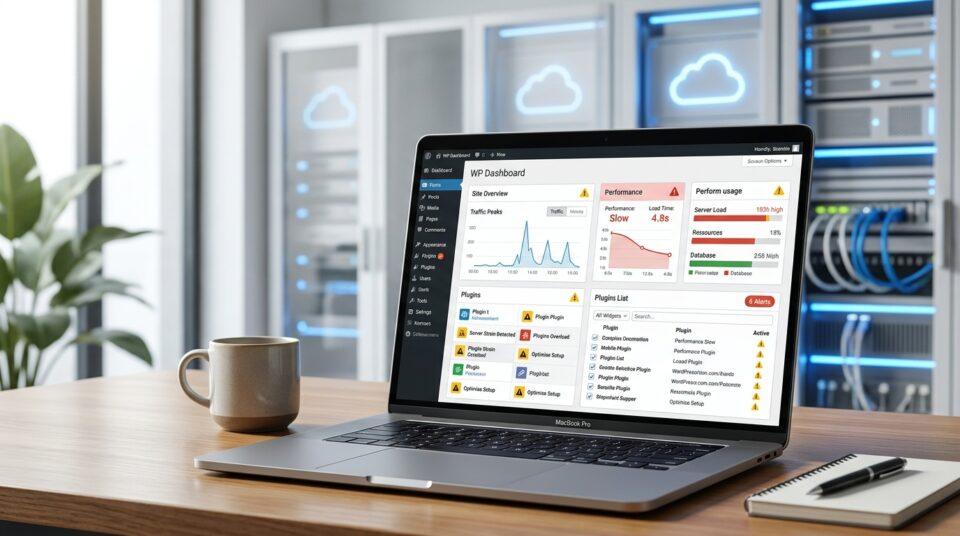
Websites slow down gradually, which makes the decline easy to miss. Unoptimised images pile up. Old plugins add unnecessary code. Databases fill with unused data from years of edits. None of it happens overnight, so nobody notices until the site feels sluggish.
Speed matters more than it might seem. According to Google, as page load time increases from one to five seconds, the probability of a visitor leaving increases significantly (Google/SOASTA Research, 2017). A slow website doesn’t just frustrate visitors — it actively costs you enquiries and sales.
Regular performance maintenance catches this early: optimising images, clearing out old data, and checking that caching and hosting are configured properly.
What silent failures go unnoticed without regular maintenance?
Some of the most damaging problems don’t show any visible symptoms. They just fail quietly:
- Contact forms stop sending. A plugin update or email configuration change breaks form submissions, and nobody finds out because — by definition — the enquiries never arrive.
- Email deliverability drops. Automated emails from your website, like order confirmations or password resets, start landing in spam or failing outright.
- Downtime goes unnoticed. Without uptime monitoring, a site can be offline for hours before anyone internally realises — usually after a customer mentions it.
These are the failures that cost the most, precisely because they’re invisible. You lose enquiries, sales, and customer trust without a single warning sign.
Why is ongoing maintenance cheaper than emergency fixes?
Emergency website fixes are expensive for a simple reason: they’re urgent, complex, and often involve cleaning up damage rather than preventing it. A hacked site needs removing malware, restoring backups, checking for lingering vulnerabilities and rebuilding trust with Google. A site that’s been down for days needs diagnosing from scratch, often without the benefit of recent documentation or monitoring data.
Compare that to a monthly maintenance plan: updates applied on a schedule, backups checked routinely, small issues caught before they compound. Choose ongoing maintenance if you’d rather pay a predictable monthly amount than an unpredictable, urgent invoice when something breaks.
This is exactly the gap that managed hosting and website maintenance plans are designed to close, not by doing anything dramatic, but by making sure nothing gets left unattended long enough to become dramatic.
Keep your website quietly working, instead of quietly failing
A website doesn’t need constant attention to stay healthy. It needs consistent attention, updates applied on schedule, backups tested regularly, and someone keeping an eye on the small things before they become big ones.
If your WordPress site hasn’t had a proper check in a while, that’s a reasonable thing to fix now, not after something breaks. My website maintenance service covers updates, backups, and security checks, with the work agreed upfront and no surprises in the invoice. Get in touch for a quick conversation about what your site actually needs; a rough idea of your situation is enough to start.